

Cloud Computing Solutions: Complete Guide for Modern Businesses
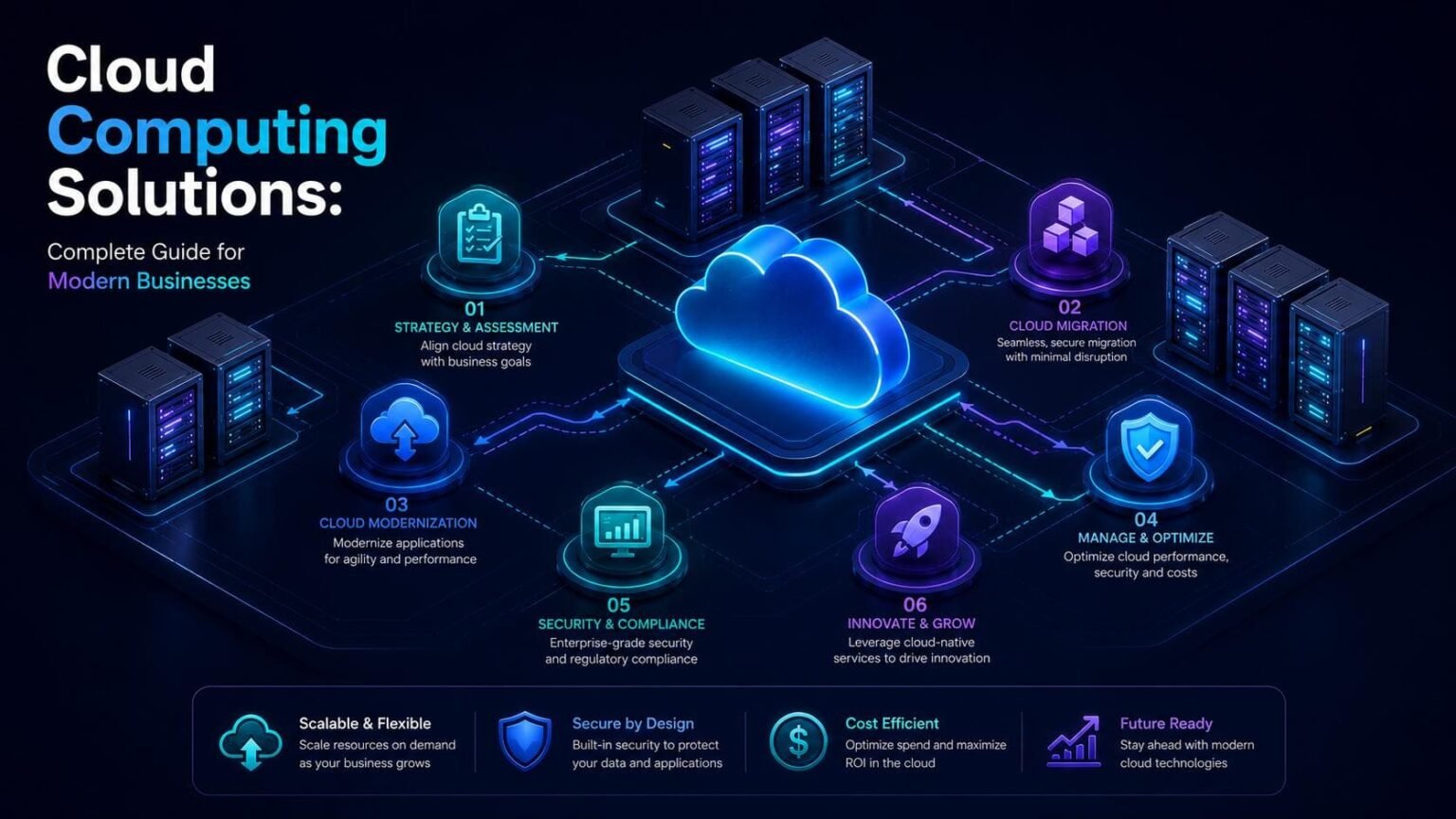
The digital transformation of businesses worldwide has made cloud computing solutions an essential component of modern infrastructure. Organizations of all sizes are moving away from traditional physical hardware to embrace the flexibility and scalability that cloud technologies offer.
This comprehensive guide explores everything you need to know about cloud computing. From fundamental concepts to advanced implementation strategies, we’ll help you navigate the complex landscape of cloud solutions.
Whether you’re considering your first cloud migration or optimizing existing infrastructure, understanding the full spectrum of cloud computing options is crucial. The right cloud strategy can reduce costs, improve efficiency, and position your business for future growth.
Ready to Discover Your Cloud Potential Today?
Not sure where to start with cloud computing? Our experts offer a complimentary 30-minute cloud readiness assessment to evaluate your current infrastructure and identify opportunities for improvement. No obligations, just actionable insights tailored to your business needs.
Understanding Cloud Computing: Foundation & Core Concepts
Cloud computing represents a fundamental shift in how organizations manage computing resources. Instead of maintaining physical hardware on premises, businesses access computing power, storage, and applications through the internet. This model transforms capital expenses into operational costs while providing unprecedented flexibility. The cloud infrastructure operates through vast networks of remote servers hosted in data centers worldwide.
These facilities maintain the physical hardware that powers cloud services. Users connect to these resources through secure internet connections, accessing them as needed without worrying about maintenance or upgrades. Modern cloud computing evolved from earlier technologies like virtualization and distributed computing. Virtual machines allow multiple operating systems to run on single physical servers, maximizing hardware efficiency. This breakthrough made cloud services economically viable and widely accessible.
How Cloud Computing Works ?
The architecture of cloud computing consists of various abstraction layers, starting with physical hardware in data centers. Virtualization enables the creation of separate environments, while management platforms handle resource allocation across the system.
Users access cloud services via web interfaces or APIs, which simplify control over virtual machines and storage. Cloud providers are responsible for hardware management and security, allowing organizations to concentrate on their applications and data, highlighting a key benefit of cloud adoption.

Essential Cloud Computing Characteristics
Key characteristics set cloud computing apart from traditional hosting. On-demand self-service enables users to automatically provision resources, speeding up deployment and minimizing overhead. Broad network access allows employees to use applications from various locations via standard internet connections, facilitating modern work practices.
Resource Pooling

Cloud providers serve multiple customers using shared infrastructure. Resources are dynamically assigned based on demand. This multi-tenant model achieves economies of scale that reduce costs for all users.
Rapid Elasticity

Computing resources scale automatically to meet changing demands. Systems expand during peak usage and contract during quiet periods. Organizations pay only for actual consumption rather than peak capacity.
Measured Service

Cloud systems monitor and report resource usage automatically. Detailed metrics provide transparency into consumption patterns. This measurement enables accurate billing and supports optimization efforts.
Cloud Service Models: IaaS, PaaS, and SaaS
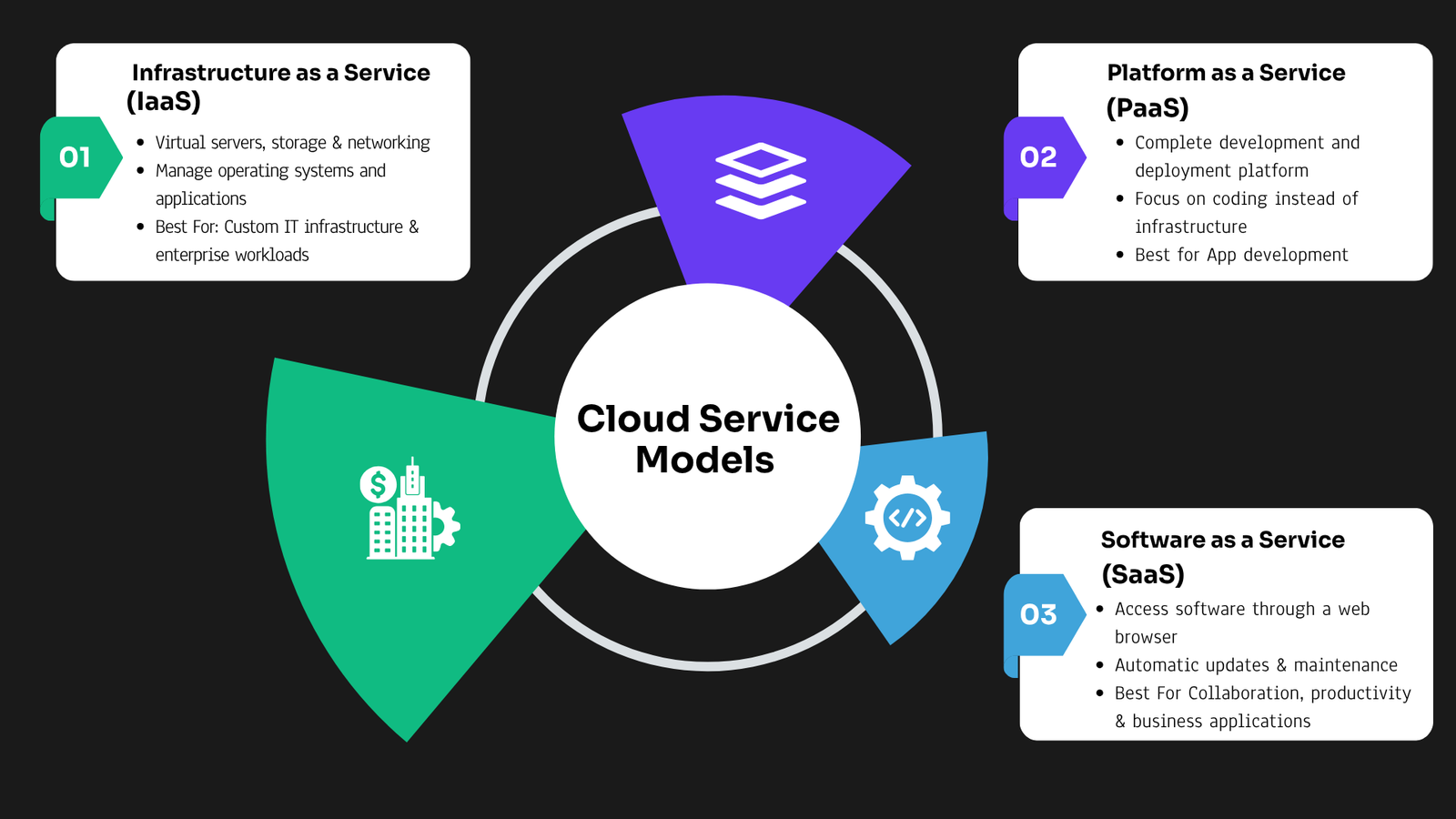
Cloud computing encompasses three primary service models that offer different levels of control and management responsibility. Each model serves specific use cases and organizational needs. Understanding these distinctions helps businesses select appropriate solutions for their requirements. The service models exist on a spectrum from maximum control to maximum convenience. Infrastructure as a Service provides the most flexibility and responsibility. Software as a Service offers the least management overhead but reduced customization options. Platform as a Service occupies the middle ground between these extremes.
Infrastructure as a Service (IaaS)
Infrastructure service offers virtualized computing resources via the internet, allowing organizations to rent virtual machines, storage, and networking components. This approach transforms traditional data centers into adaptable virtual infrastructures that can expand as needed.
With IaaS, businesses retain control over their operating systems and applications, while the provider handles the hardware and security aspects. This setup enables companies to concentrate on their software development, facilitating rapid provisioning of resources for various applications like testing, hosting, and disaster recovery.
IaaS Benefits
- Scalability to meet fluctuating demands
- Cost-effectiveness through pay-as-you-go pricing
- Rapid provisioning of resources
- Enhanced security features from cloud providers
- Automatic updates and maintenance
- Geographic redundancy for disaster recovery
- Access to advanced technologies without upfront costs
- Support for hybrid cloud strategies

Platform as a Service (PaaS)
Platform service offers a robust environment for developing and deploying applications in the cloud, allowing developers to focus on coding without the burden of managing infrastructure. It provides essential tools such as development environments, database management systems, and middleware, streamlining the development process.
This model is particularly advantageous for teams building cloud-native applications, as it automates scaling, load balancing, and high availability. Developers can simply deploy their code, and the platform takes care of the rest, enabling faster and more efficient application delivery.
PaaS Benefits
- Simplified application development process.
- Reduced time to market for applications.
- Built-in scalability for applications.
- Enhanced collaboration among development teams.
- Automatic updates and maintenance by the provider.
- Cost-effectiveness through subscription models.
- Support for multiple programming languages and frameworks.
- Integrated tools for testing and deployment.

Software as a Service (SaaS)
Software as a Service (SaaS) offers users the convenience of accessing applications online without the need for local installation. This model allows for seamless updates and management, as the provider takes care of all backend operations, ensuring users always have access to the latest features.
With SaaS, organizations can efficiently utilize software solutions by subscribing rather than purchasing outright. This flexibility transforms capital expenditures into manageable operational costs, making advanced tools accessible to businesses of all sizes.
SaaS Benefits
- Accessible via web browsers or mobile apps.
- No local installation required for users.
- Automatic updates and maintenance handled by the provider.
- Commonly used for CRM, email, and collaboration tools.
- Subscription-based pricing models are typical.
- Data synchronization across devices for seamless access.
- Eliminates the need for IT infrastructure management.
- Ideal for small businesses seeking cost-effective solutions.

Cloud Deployment Models: Public, Private, Hybrid & Multi Clouds
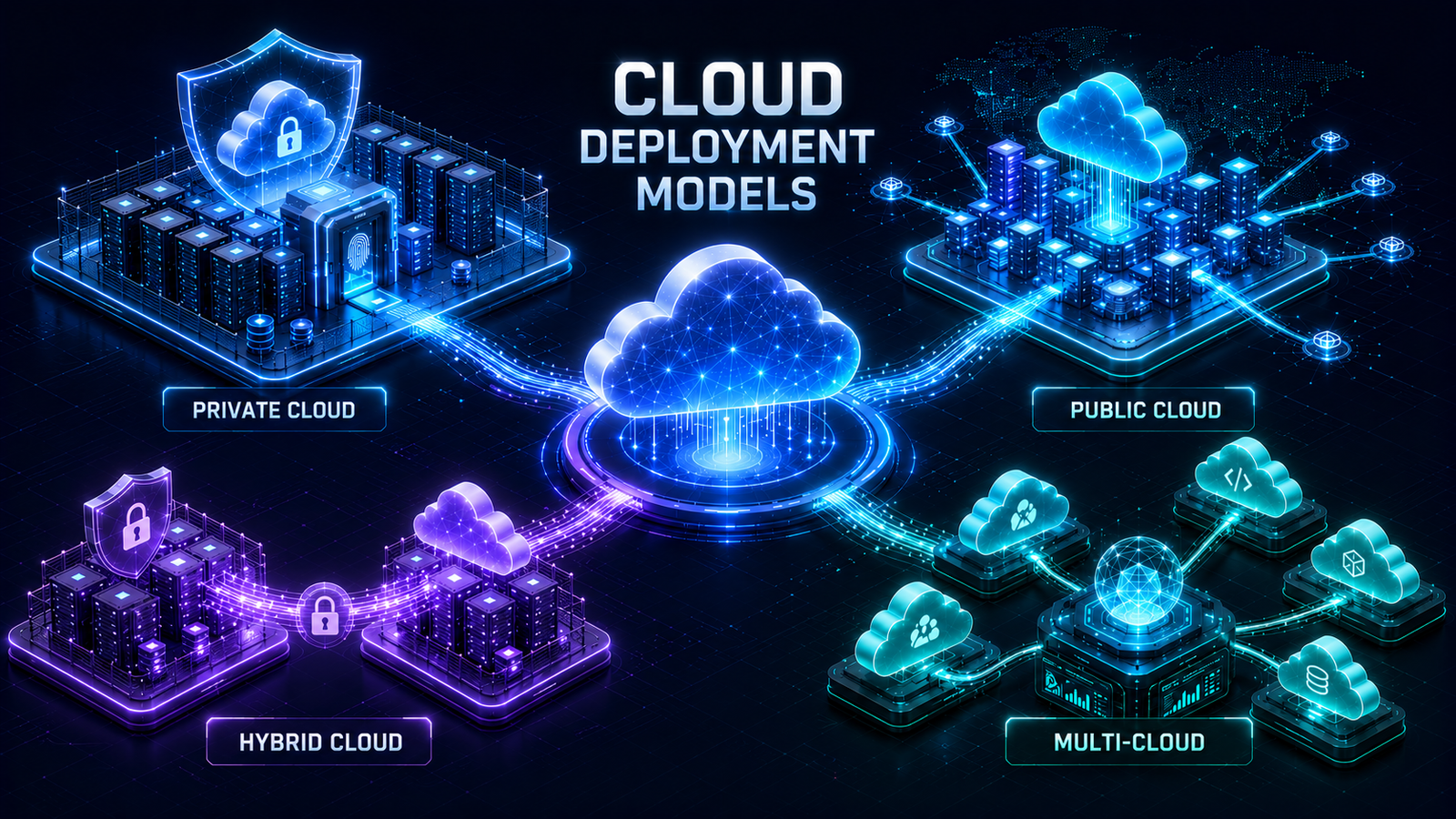
Beyond service models, organizations must choose deployment models that determine where and how cloud infrastructure operates. Each deployment model offers distinct advantages regarding cost, control, security, and compliance. The choice depends on specific business requirements and regulatory constraints.
Deployment models describe the cloud environment’s location and accessibility. Public clouds serve multiple organizations through shared infrastructure. Private clouds dedicate resources to single organizations. Hybrid clouds combine both approaches for maximum flexibility.
Public Cloud Infrastructure
Public cloud services operate on infrastructure owned and managed by third-party cloud providers. Multiple organizations share physical resources through virtualization. This shared model achieves significant economies of scale that reduce costs for all users. Public cloud computing eliminates capital expenditure for hardware and reduces operational costs. Organizations pay only for consumed resources without maintaining excess capacity. The provider handles all maintenance, updates, and security patches for underlying infrastructure.
Benefits of Public Cloud Infrastructure
- Cost-effective entry point for cloud adoption.
- Scalable resources to meet growing demands.
- No hardware maintenance responsibilities.
- Quick deployment and provisioning of services.
- Flexible pay-per-use pricing models.
- Access to cutting-edge technologies.
- High availability and redundancy features.
- Shared infrastructure enhances resource efficiency.

Private Cloud Infrastructure
Private cloud infrastructure serves a single organization exclusively. Resources are not shared with other entities, providing enhanced control and security. Organizations can deploy private clouds on-premises or have cloud providers host dedicated infrastructure. Private clouds offer customization options unavailable in public environments. Organizations configure security policies, networking rules, and access controls precisely to their requirements. This control comes at higher costs compared to public cloud alternatives.
Benefits of Private Cloud Infrastructure
- Exclusive resources for a single organization.
- Enhanced control and security measures.
- Deployment options: on-premises or hosted.
- Ideal for strict security and compliance needs.
- Customization of security policies and access controls.
- Higher costs compared to public cloud solutions.
- Utilizes virtualization and automation technologies.
- Supports self-service provisioning and elastic scaling.

Hybrid Cloud Infrastructure
Hybrid cloud combines public and private cloud environments into a unified, flexible infrastructure. Applications and data move between environments based on requirements, costs, and policies. This approach provides the best aspects of both deployment models. Organizations use hybrid cloud to balance security, performance, and cost considerations. Sensitive data and critical applications remain in private infrastructure. Less sensitive workloads run in public cloud to leverage cost efficiency and scalability. Intelligent workload placement optimizes both security and expenses.
Benefits of Hybrid Cloud Infrastructure
- Enhanced security for sensitive data.
- Flexibility to scale resources as needed.
- Cost efficiency by utilizing public cloud for non-sensitive workloads.
- Improved performance through optimized workload placement.
- Support for gradual migration strategies.
- Better compliance with regulations.
- Increased resilience and availability.
- Ability to customize infrastructure based on specific needs.

Multi Cloud Infrastructure
Multi-cloud, on the other hand, involves using multiple cloud services from different providers to avoid vendor lock-in and enhance flexibility. This strategy allows organizations to select the best services from various providers, optimizing performance and cost. By distributing workloads across multiple clouds, organizations can ensure higher availability and resilience. With multi-cloud, businesses can leverage the unique strengths of different cloud providers, tailoring their cloud strategies to specific application needs.
Benefits of Multi Cloud Infrastructure
- Avoidance of vendor lock-in.
- Enhanced flexibility in choosing services.
- Optimized performance by selecting best provider for workload.
- Improved resilience through workload distribution.
- Compliance with regional data regulations.
- Greater redundancy and disaster recovery options.
- Cost management by leveraging competitive pricing.
- Access to a wider range of innovative services.
Key Benefits of Cloud Computing for Business
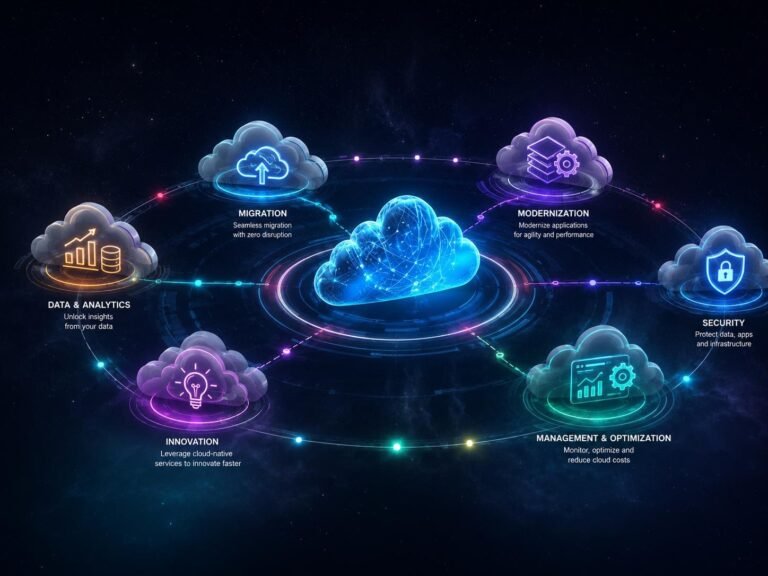
Organizations adopt cloud computing for numerous compelling advantages that transform operations and competitiveness. These benefits extend beyond simple cost savings to encompass agility, innovation, and strategic positioning. Understanding the full value proposition helps justify cloud investments.
Cloud solutions deliver both quantifiable financial returns and qualitative operational improvements. Direct cost reductions combine with intangible benefits like faster time-to-market and improved employee productivity. The cumulative effect significantly impacts business performance.
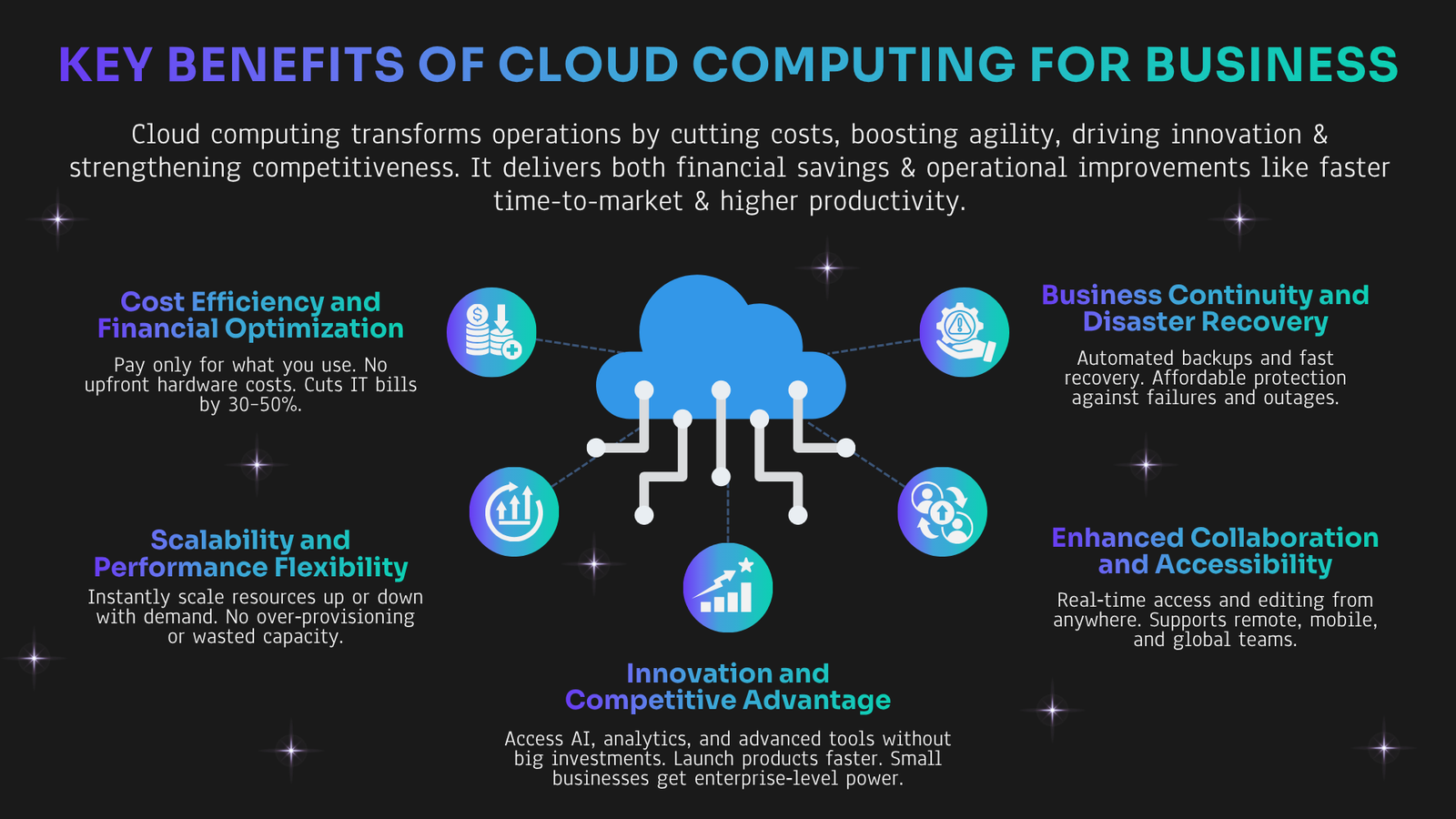
Cost Efficiency and Financial Optimization
Cloud computing shifts IT expenses from capital investments to operational costs, allowing organizations to reduce hardware purchases and maintenance. This model enhances financial predictability and drives significant cost savings through scalable, pay-per-use resources.
Scalability and Performance Flexibility
Cloud computing allows organizations to quickly adjust resources based on demand, ensuring efficient handling of traffic spikes. This model supports growth without the risk of over-provisioning, enabling businesses to expand into new markets seamlessly.
Business Continuity and Disaster Recovery
Cloud solutions enhance disaster recovery by enabling rapid data replication and minimizing downtime, allowing organizations to recover from outages in minutes. Automated backups and easy testing ensure that businesses can confidently maintain their operations with minimal risk.
Enhanced Collaboration and Accessibility
Cloud applications facilitate collaboration among teams by allowing access to files and data from anywhere, supporting remote and mobile workforces. Real-time editing and mobile access enhance productivity and customer service.
Innovation and Competitive Advantage
Cloud computing drives rapid innovation by offering access to advanced technologies, enabling organizations to experiment and deploy applications swiftly. This accessibility allows small businesses to compete effectively with larger enterprises, fostering a dynamic and equitable market.
Major Cloud Providers: Choosing the Right Partner
Several major cloud providers dominate the market, each offering comprehensive service portfolios. Organizations must evaluate providers based on specific requirements, existing technology investments, and strategic goals. Understanding provider differences helps inform selection decisions. Market leaders maintain global data center networks and offer hundreds of services. Smaller providers may specialize in particular industries or technologies. Multi-cloud strategies use multiple providers to avoid vendor lock-in and leverage best-of-breed services.
Evaluating Cloud Provider Capabilities
Service breadth is crucial for determining if cloud providers can meet organizational needs, with core services being standard and advanced offerings varying widely. Geographic coverage is also essential, as it impacts performance and compliance with local regulations.
Reliability and uptime are indicators of a provider’s maturity, while support quality affects how quickly issues are resolved. Evaluating these factors is vital for organizations, especially for those relying on critical applications.


Cloud Provider Ecosystem
Marketplace offerings enable quick deployment through pre-configured solutions and third-party integrations, enhancing provider capabilities. Training programs and certifications help develop staff skills, ensuring proficiency with cloud services and validating expertise.
Community engagement and quality documentation play a crucial role in problem resolution and skill acquisition. Active user communities foster knowledge sharing, while detailed resources support self-directed learning.
Multi-Cloud and Hybrid Considerations
Multi-cloud strategies enable organizations to distribute workloads across various providers, helping to mitigate vendor lock-in and utilize distinct strengths. However, this approach introduces management complexities and necessitates specialized expertise.
Cloud management platforms facilitate resource management across different providers, ensuring streamlined operations. Data portability is crucial, as proprietary services can hinder migration; adopting open standards & containerization enrich flexibility & reduces risks of lock-in.

Cloud Computing Use Cases Across Industries
Several major cloud providers dominate the market, each offering comprehensive service portfolios. Organizations must evaluate providers based on specific requirements, existing technology investments, and strategic goals. Understanding provider differences helps inform selection decisions. Market leaders maintain global data center networks and offer hundreds of services. Smaller providers may specialize in particular industries or technologies. Multi-cloud strategies use multiple providers to avoid vendor lock-in and leverage best-of-breed services.
Enterprise Application Modernization
Organizations are moving legacy applications to the cloud, lowering maintenance costs and enhancing agility. Microservices and containerization allow scalable, consistent deployment across platforms, reducing vendor lock-in.
Big Data Analytics & Business Intelligence
Cloud platforms deliver essential computing power for big data, enabling organizations to analyze vast datasets for actionable insights. Their scalability and integrated analytics tools streamline data processing, facilitating real-time decision-making.
Software Development and Testing
Development teams utilize cloud infrastructure for rapid application creation and testing, benefiting from scalable resources without upfront hardware costs. Automated pipelines streamline the development process, enhancing efficiency and software quality.
E-Commerce and Retail
Online retailers efficiently manage traffic spikes with cloud auto-scaling, ensuring optimal resource use. Personalization engines leverage machine learning to enhance customer experiences through tailored recommendations.
Healthcare and Life Sciences
Cloud computing supports massive medical data storage and advanced analysis, enhancing patient care and research collaboration. It ensures reliable access to electronic health records and safeguards critical data through disaster recovery.
Financial Services
Cloud computing enables efficient financial modeling and real-time fraud detection, optimizing resources and enhancing compliance through effective data management. Automated tools streamline audit processes, ensuring adherence to regulatory standards.
Education and Research
Cloud infrastructure supports online learning and enables global collaboration in research, providing scalable resources for institutions. It simplifies student management with accessible systems, reducing the need for complex on-premises solutions.
Media and Entertainment
Cloud computing enables efficient video streaming and digital content creation, offering scalable resources for global audiences. Media asset management benefits from cost-effective cloud storage and quick metadata indexing.
Emerging Trends in Cloud Computing
Cloud computing continues evolving with new technologies and approaches. These emerging trends shape how organizations design and deploy cloud solutions. Understanding future directions helps inform strategic planning and technology investments.
- Edge Computing Integration: Edge computing reduces latency by processing data closer to its source, enhancing the performance of time-sensitive applications.
- Serverless Computing Evolution: Serverless platforms eliminate infrastructure management, allowing developers to focus on writing functions that automatically scale based on demand.
- Artificial Intelligence and Machine Learning Integration: Managed machine learning platforms enable organizations to deploy AI models without needing specialized infrastructure.
- Kubernetes and Container Orchestration: Kubernetes standardizes container management, enhancing application portability across different cloud environments.
Quantum Computing as a Service: Cloud access to quantum computers allows organizations to explore quantum algorithms without the need for owning the hardware.

Cloud Computing Best Practices
Successful cloud adoption requires following proven practices that maximize benefits while minimizing risks. These recommendations come from organizations with extensive cloud experience. Implementing best practices accelerates time-to-value and prevents common pitfalls.
Architecture and Design Principles
Design applications for cloud environments to utilize features like auto-scaling and managed services, enhancing resilience and efficiency. Prepare for failures by ensuring redundancy and graceful degradation, which helps maintain functionality during outages.
Decouple components to boost scalability and simplify testing, allowing independent scaling and deployment. Establish monitoring and logging from the outset for quick issue resolution and compliance support.


Organizational Success Factors
Strong executive sponsorship is essential for cloud initiatives, ensuring resources are allocated and barriers are removed. Clear communication of the cloud strategy helps align all stakeholders towards shared goals.
Investing in training for technical teams is crucial, as cloud technologies require different skills than traditional infrastructure. Starting with non-critical applications allows organizations to build confidence and knowledge before tackling more significant migrations.
Continuous Improvement
Regular architecture reviews and performance testing are crucial for optimizing cloud environments, ensuring they adapt to new technologies and meet scalability requirements. This proactive approach helps in planning capacity and refining operations.
Additionally, routine cost and security assessments are essential. They identify spending inefficiencies and vulnerabilities, allowing organizations to maintain financial health and a robust security posture in an evolving threat landscape.